

A slow site quietly costs you visitors, leads, and rankings.
If you keep asking, “Why is my website so slow?”, you’re not alone. A slow site usually comes down to a handful of usual suspects, oversized images, slow hosting, too many plugins, missing caching, or heavy code, and every one of them is fixable, often in an afternoon.
Below are the eight most common reasons a website is slow, how to spot each one, and exactly what to do about it. Work through them in order and most sites get noticeably faster.The short answerMost slow websites are caused by big images, cheap hosting, plugin bloat, no caching, heavy scripts, no CDN, a bulky theme, or missing lazy loading. Fix these and load time usually drops from several seconds to under two.
Why Is My Website So Slow, and Why It Matters
Speed is not a vanity metric. Most visitors abandon a page that takes more than about three seconds to load, so a slow site loses sales before anyone sees your offer. It also hurts your search rankings, page speed is a confirmed Google ranking signal, which is why speed and SEO go hand in hand. A faster site simply keeps more people and ranks higher. So the next time you wonder why is my website so slow, remember the cost is real, lost visitors, lost sales, and lower Google rankings.1.Large, unoptimized images
Huge image files are the number one cause of slow websites. A single photo straight from a phone or camera can be several megabytes, far larger than a web page needs. How to check: If your pages feel heavy and full of big photos, this is likely the culprit. Fix: Resize images to the size they actually display, compress them (TinyPNG or an image plugin), and serve them in modern formats like WebP.2.Slow or cheap web hosting
Budget shared hosting puts hundreds of sites on one server. When traffic rises, your site slows to a crawl. Hosting is the foundation, no amount of tuning fixes a weak server. Fix: Move to quality hosting (a reputable managed or cloud host). It is the single upgrade with the biggest speed payoff.3.Too many plugins
Every plugin adds code that has to load. Twenty or thirty plugins, especially old or overlapping ones, can drag a site down badly. Fix: Deactivate and delete anything you don’t truly use. Replace several single purpose plugins with one well built one where you can.4.No caching set up
Without caching, your server rebuilds every page from scratch on each visit. Caching stores a ready made copy and serves it instantly. Fix: Install a caching plugin (for example LiteSpeed Cache or WP Rocket) and enable page caching. This alone often cuts load time in half.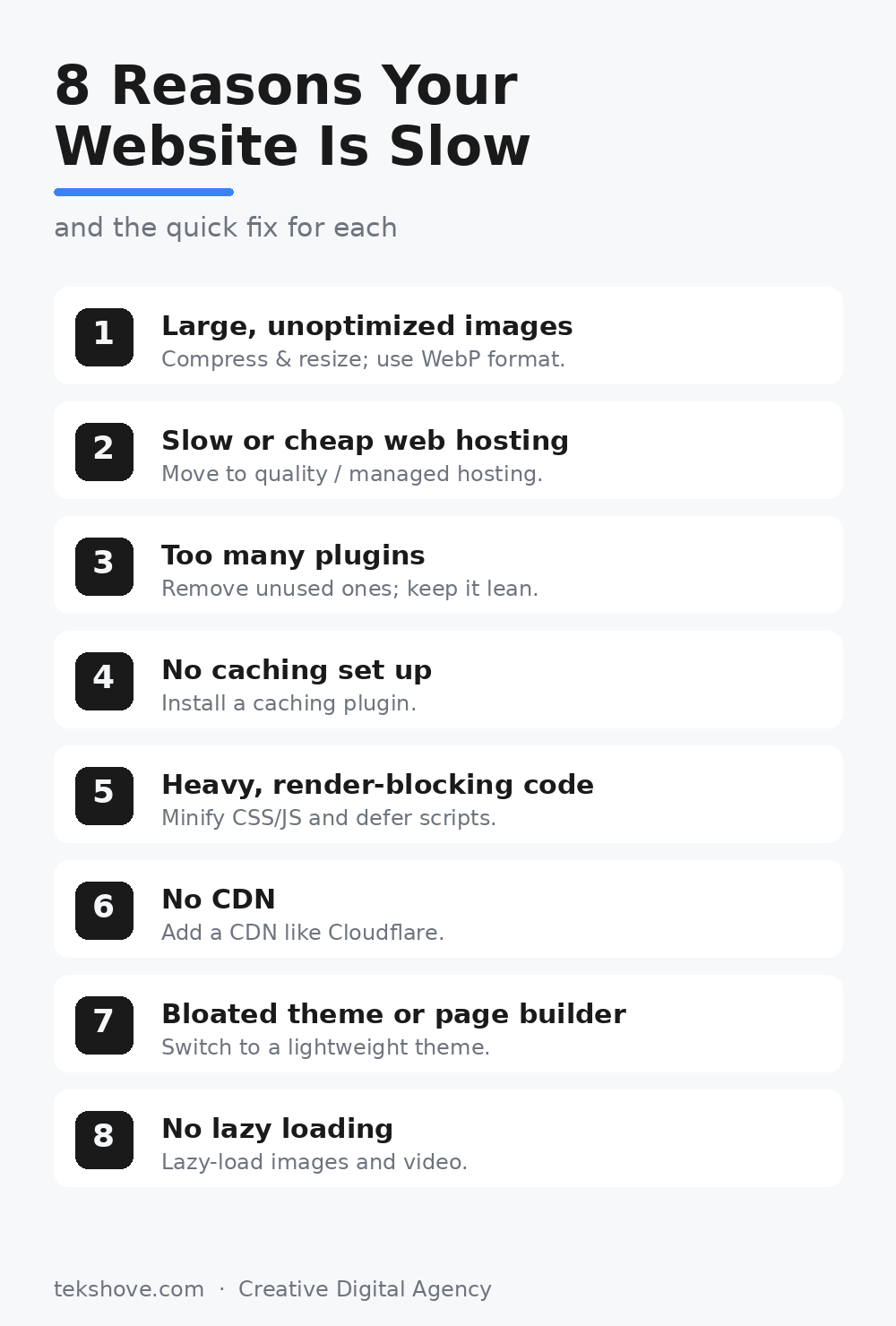
Save or share this checklist, the eight fixes at a glance.
5.Heavy, render blocking code
Bulky CSS and JavaScript can block the page from showing until they finish loading. The browser sits and waits, and your visitor sees a blank screen. Fix: Minify CSS and JavaScript, defer non essential scripts, and remove code from tools you no longer use.6.No CDN
If your server sits in one country, faraway visitors wait longer for every file. A CDN stores copies of your site around the world and serves each visitor from the nearest location. Fix: Add a CDN such as Cloudflare (it has a free plan). It speeds up global visitors and adds a layer of security too.7.A bloated theme or page builder
Some themes and page builders load enormous amounts of code for features you never use. A pretty theme can quietly be a slow one. Fix: Choose a lightweight, well coded theme and keep your builder tidy. If a rebuild is due, build for speed from the start.8.No lazy loading
By default, a browser may try to load every image and video at once, even the ones far down the page a visitor may never reach. Fix: Turn on lazy loading so images and videos load only as the visitor scrolls to them. Most caching and image plugins offer this in one click.How to test your website’s speed
Before and after any fix, measure so you know it worked. The free Google PageSpeed Insights tool gives you a score plus specific recommendations for both mobile and desktop. GTmetrix is another good free option. Aim for a load time under two seconds and a mobile score in the green.Frequently asked questions
How fast should a website load?
Aim for under two seconds. Beyond about three seconds, a large share of visitors leave before the page appears.Does website speed affect SEO?
Yes. Page speed is a Google ranking factor, and a faster site also keeps visitors longer, which further helps rankings.How do I know why is my website so slow?
Run a free speed test like Google PageSpeed Insights, it pinpoints exactly why your website is so slow, from large images to render blocking code.Can I fix a slow website myself?
Many fixes, compressing images, adding caching, removing plugins, are do it yourself. Hosting moves, code cleanup, and rebuilds are usually better left to a developer.Still slow after all this?
TekShove builds fast, clean websites and fixes slow ones, from image optimization and caching to full rebuilds. Let’s get your site loading in under two seconds. Get a free speed audit →Talk to Our Team
Tell us what you need help with and our team will get back to you.