
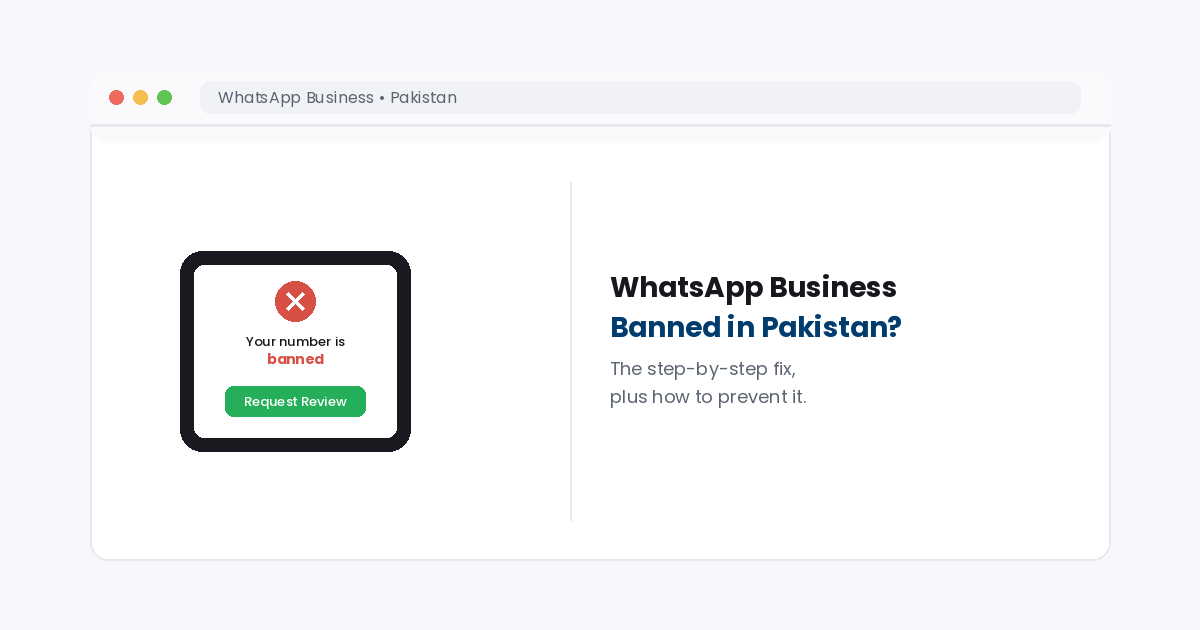
One red notice. One review request. This is what recovering from a whatsapp business banned pakistan situation actually looks like.
Your WhatsApp Business account is how your customers reach you. Then, one morning, it stops working. If you are dealing with whatsapp business banned in pakistan right now, you need two things: a fast, correct recovery process, and a plan so it doesn’t happen again. This guide covers both, with details specific to running a business in Pakistan, not just generic global advice.
The short answerWhatsapp business banned in pakistan comes in two forms. A temporary ban shows a countdown timer and usually lifts on its own within 24 to 72 hours. A permanent ban shows a review request screen and needs a successful appeal to recover. Stop all messaging immediately, submit the in app review honestly, and redirect customers to a channel you already own while you wait. For businesses that repeatedly get flagged, moving to the official WhatsApp Business API, which requires SECP registration or an NTN, closes the gap for good.
1.What a WhatsApp Business ban actually looks like
There are two different situations here, and telling them apart matters. A short ban shows a countdown timer on the screen. It usually clears on its own once the timer hits zero. The fastest fix is simply to wait. Instead, a permanent ban shows a different message: your number has been banned, with a “Request a Review” option. That version needs a real appeal. In fact, this is what most people mean when they search whatsapp business banned in pakistan. Also, reinstalling the app or switching devices does not fix either type. It can make things worse instead.
2.Why WhatsApp bans business accounts
Meta’s systems look for specific patterns. The most common triggers include messaging people who never opted in and a high block and report rate from recipients. Wrong template types and sudden spikes in message volume also raise flags. Bought or scraped contact lists are a near guaranteed path to a ban. So is using unofficial bulk sending tools or a modified app like GB WhatsApp, which breaks WhatsApp’s rules outright. In fact, many businesses dealing with whatsapp business banned in pakistan never realize a third party tool caused it, not their actual message content.
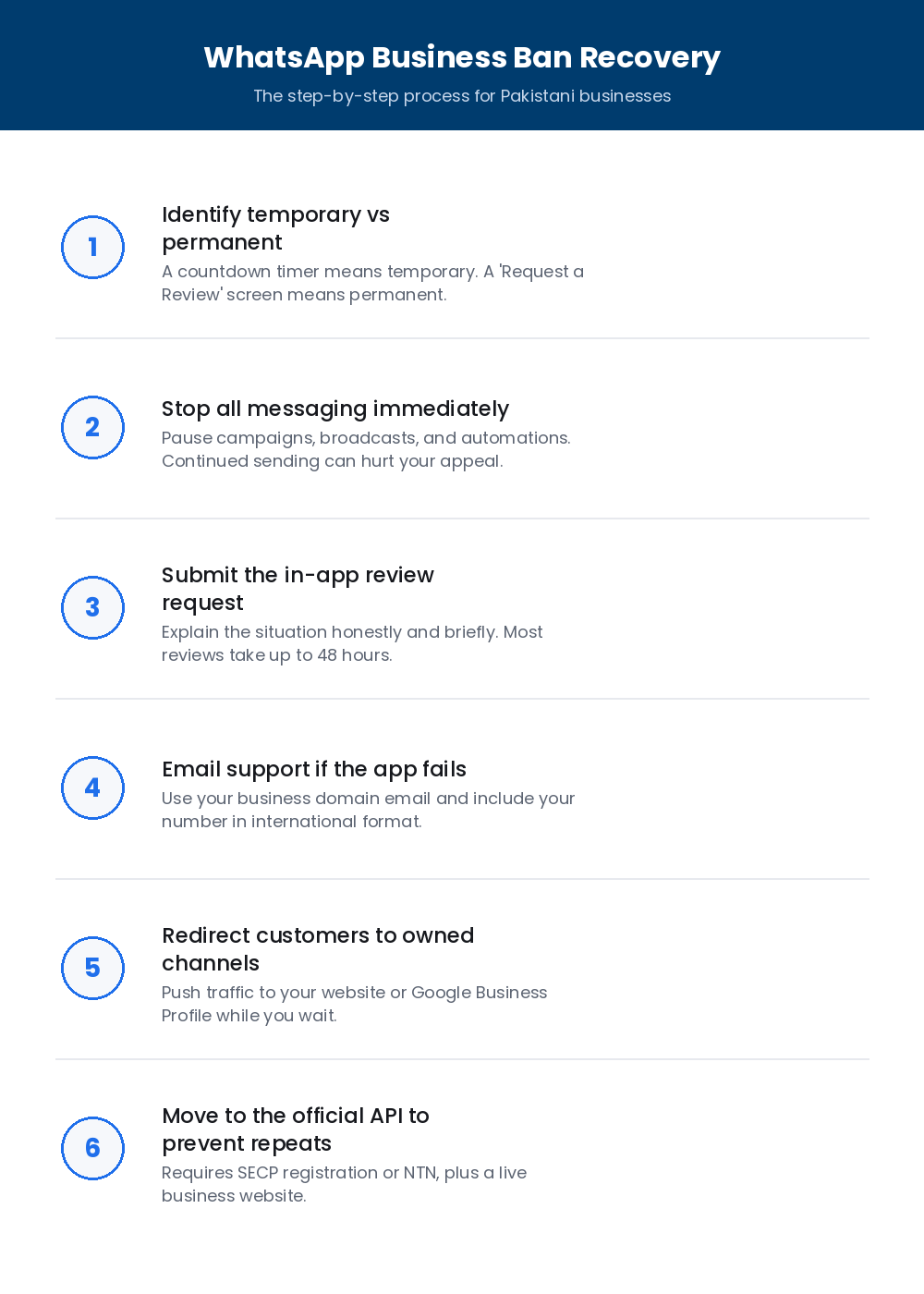 WhatsApp Business ban recovery, the exact sequence to follow.
3.Recovering from whatsapp business banned in pakistan, step by step
First, check which type of ban you have. Look for a countdown timer versus a review request screen. Then, stop all messaging right away: pause campaigns, broadcasts, and automations. Sending more messages during a review can turn a fixable restriction into a permanent one. Next, submit the in app review request with a short, honest note about your business and the situation. Most reviews take up to 48 hours. If the in app option fails, email WhatsApp support directly from your business domain email instead. Include your phone number in international format in the subject line.
Tired of your business depending on one WhatsApp number?
We’ll review your current setup and show you how to add owned channels. That way, a future ban slows you down instead of stopping you completely.
4.What to do while you wait for review
This is the part most guides skip. A review can take hours or days, and your business still needs to run. Push traffic and past customer messages to a channel you already own: your website, your Google Business Profile, or an email list. One of our own clients, a Pakistani retail business, faced whatsapp business banned in pakistan again and again. Most of its sales came from a single social media account. Our social media ban recovery case study covers the full system we built. In short, a ban stopped being an emergency and became a small hiccup instead.
5.The Pakistan specific requirements that prevent bans
For Pakistani businesses, a few local details matter beyond Meta’s global rules. WhatsApp Business numbers now show a Blue Tick verified badge. Notably, Meta retired the old green tick badge in July 2024. Getting the official Business API usually needs SECP registration or an NTN, plus a live business website. Meanwhile, billing usually runs in PKR. Also, local providers commonly take JazzCash, Easypaisa, bank transfer, or Raast. Moving to this official, verified setup is the single biggest step a repeatedly banned business can take. Essentially, it swaps an easily flagged consumer app for real business tools.
What this means for your business
Whatsapp business banned in pakistan is rarely a one time accident. Instead, it is usually a sign that your messaging setup, your tools, or your list building habits need a real fix, not just an appeal. Our SEO Marketing team can help you build owned channels, a website and local search, that keep your business reachable no matter what happens to any single account. For deeper detail on Pakistan’s rules, see this Pakistan specific WhatsApp ban guide from On Cloud API. This general recovery guide from Sinch covers the wider process.
Frequently asked questions
How long does a WhatsApp Business ban last in Pakistan?
A temporary ban usually lasts 24 to 72 hours and often lifts on its own once the countdown ends. That is not true for a permanent ban. It requires a successful appeal through WhatsApp’s official review process to recover the number.
What documents do I need for WhatsApp Business API approval in Pakistan?
Approval typically needs SECP registration or an NTN, plus a live business website. Billing can run in PKR, and local providers commonly accept JazzCash, Easypaisa, bank transfer, or Raast.
Will messaging customers again help get my WhatsApp Business account unbanned faster?
No. Continuing to send messages during a whatsapp business banned in pakistan restriction can actually hurt the appeal. Instead, stop all campaigns, broadcasts, and automations first, then submit the review request.
Is the free WhatsApp Business app riskier than the official API?
Yes, for businesses sending any real volume. The free app is far more exposed to bans triggered by bulk messaging or third party tools. In contrast, the official API is built for compliant, higher volume business communication.
Don’t let one banned number stop your business again
TekShove can help you recover faster and build the owned channels that keep customers reaching you no matter what happens to any single platform.
Talk to Our Team
Tell us what you need help with and our team will get back to you.